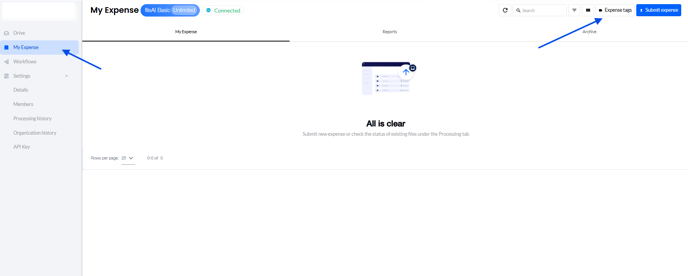
1. Go to your Organization > My Expense > click on Expense tags at the upper right of the screen.
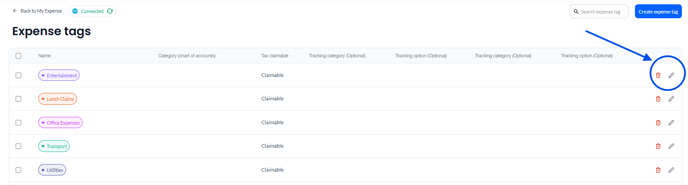
2. From this page, you may edit the rule by clicking on the pencil icon alongside the tag.
![fileAI Logo—White.png]](https://help.file.ai/hs-fs/hubfs/fileAI%20Logo%E2%80%94White.png?height=40&name=fileAI%20Logo%E2%80%94White.png)
1. Go to your Organization > My Expense > click on Expense tags at the upper right of the screen.
2. From this page, you may edit the rule by clicking on the pencil icon alongside the tag.